How many prints per hour can a photo booth printer do?
Published 4×6 print times for DNP, Citizen, Mitsubishi and Canon, what they mean at a busy event, and how many printers and rolls to bring.
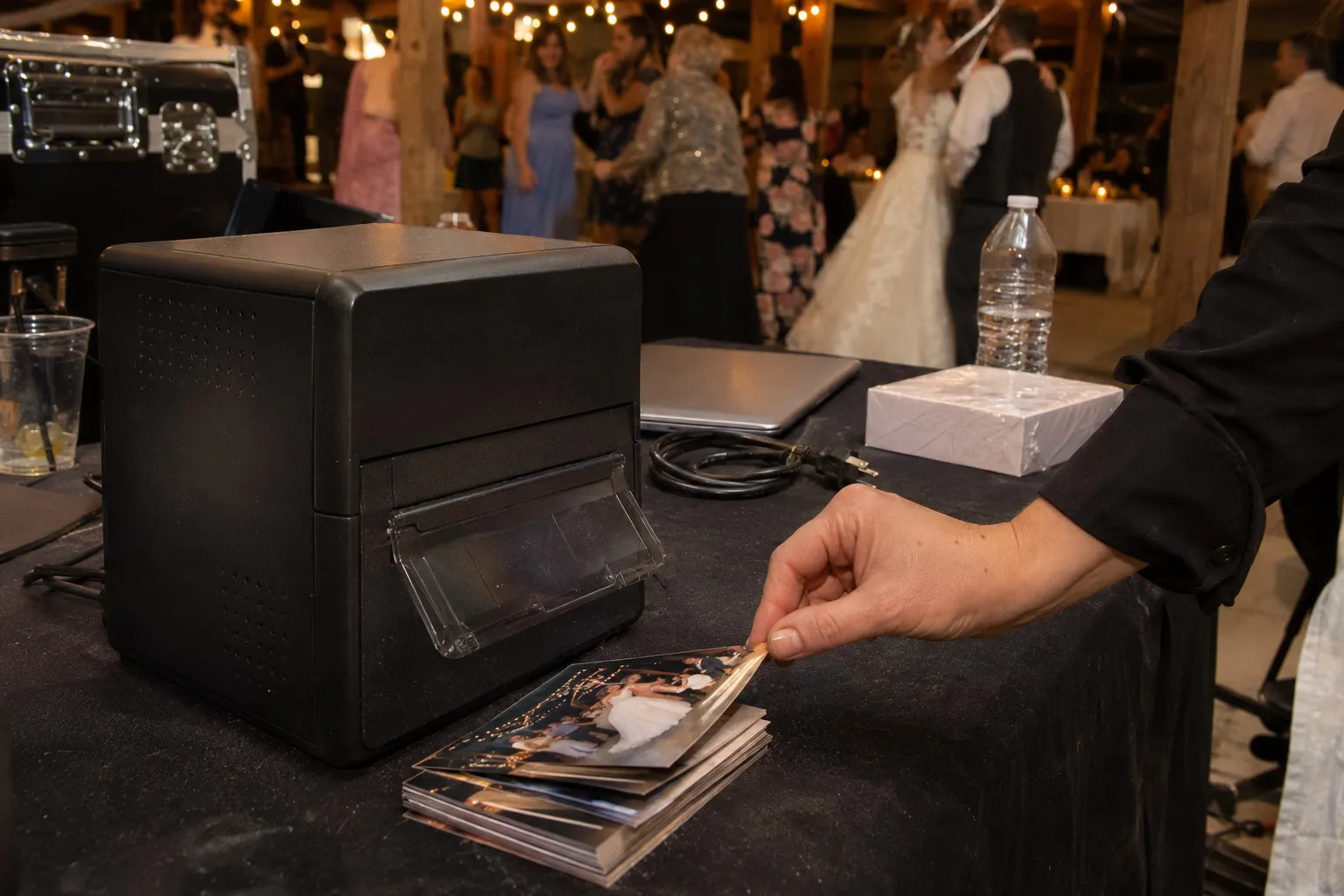
Short answer: a current dye-sublimation event printer is rated at roughly 8 to 13 seconds per 4×6 print, which works out to 275–430 prints per hour on paper. In practice the printer is rarely the bottleneck. Even if one capture station finishes a group every 45 seconds, that is 80 results an hour, so a single fast printer keeps up unless guests ask for several copies each. Plan the media rolls more carefully than the printer speed.
Printer figures below come from manufacturer and retailer pages, checked on 24 November 2026. They are published figures, not our own measurements.
Published 4×6 print times
| Printer | 4×6 time (as published) | 4×6 prints per roll or kit | Source |
|---|---|---|---|
| DNP DS620A | about 8.3 s | 400 per roll | DNP |
| DNP DS-RX1HS | about 12.4 s (about 290 per hour) | 700 per media set | DNP |
| DNP QW410 | about 19 s (about 189 per hour) | 150 per roll | DNP |
| Citizen CX-02 | 9.8 s high-speed, 13.0 s high-quality | 400 per roll | Citizen |
| Mitsubishi CP-D90DW | 7.8 s (excluding data transfer) | 800 per two-roll kit | retailer listing |
| Canon SELPHY CP1500 | about 41 s | 108 or 1,080 per pack | Canon |
The numbers are not measured the same way. DNP calls its figures “representative”; Mitsubishi’s excludes data transfer; Canon’s starts the clock when yellow printing begins. Treat them as a ranking, not as a stopwatch. The Canon SELPHY is in the list because it is a common first printer; at about 41 seconds and a small media pack it is a home printer, not an event printer.
Convert seconds into prints per hour
One hour is 3,600 seconds, so:
prints per hour = 3,600 ÷ seconds per print
| Seconds per print | Prints per hour, in theory |
|---|---|
| 8 | 450 |
| 10 | 360 |
| 12.4 | 290 |
| 19 | 189 |
| 41 | 88 |
Real output is lower. The file has to reach the printer, a roll change takes a few minutes, and prints pile up in a tray that someone has to clear. A cautious plan uses about three quarters of the theoretical figure.
The real bottleneck: the guest cycle
The question to ask is not “how fast is the printer” but “how often does the booth produce something to print”. Time a few guests through your own setup with a stopwatch: walk up, fill the form if there is one, pose, countdown, review, tap Print. Three things make the cycle longer:
- AI experiences add the processing time before the result appears, plus choosing a character or scene.
- Forms and consent add a few seconds for every field.
- Big groups take longer to arrange than couples.
Say your stopwatch shows 45 seconds per group. That is 80 results an hour. Even at two copies each, that’s 160 prints, about half of what a DS-RX1HS is rated for. One printer is enough. It gets tight when:
- two or more capture stations print through the same printer,
- most groups ask for a copy per person, or
- the roll runs out during the peak hour.
In Eventwink, an event prints through one print agent and one selected printer, one job at a time, oldest first. So the answer to a tight print queue is fewer copies per result or a faster printer, not a second printer running in parallel. Bring a second printer as a spare you can switch to, not as extra capacity.
You set the guest copy limit per result in Studio (1 to 10, default 1), so a group of six can’t queue twelve prints by tapping Print repeatedly. Reprints come from the dashboard when someone asks at the desk.
How many rolls to bring
Media is where events go wrong. Work it out from expected results, not from hours:
rolls = guests ÷ average group size × share of groups who print × copies per result ÷ prints per roll
Example: a 4-hour party, 250 guests, 80% of groups print, groups average 3 people, and you allow 2 copies per result.
- Results: 250 ÷ 3 ≈ 84 groups, 80% print → about 67 printed results.
- Prints: 67 × 2 = 134.
- One 400-print DS620A roll covers it. Bring a second roll anyway.
At a trade show the math changes: many single visitors, and the event runs for days. 600 visitors a day for three days at one copy each is 1,800 prints, so plan for five 400-print rolls or three 700-print DS-RX1HS sets, plus a spare.
Cost per print
Media for the fast DNP printers comes as kits with paper and ribbon together. Retailer prices seen on 24 November 2026:
| Media | Prints | Retail price | Per print |
|---|---|---|---|
| DNP DS-RX1HS 4×6 set (2 rolls) | 1,400 | $195.00 | about $0.14 |
| DNP DS620 4×6 set (2 rolls) | 800 | $135.99 | about $0.17 |
Prices vary by country and supplier, so check yours. Printing in Eventwink uses no AI credits: a reprint costs only the media.
How printing works in Eventwink
- A small agent runs on a Windows PC and is paired with your workspace by a code from the dashboard.
- It prints to the printer you choose among those installed in Windows, at 4×6 in (10×15 cm), 300 dpi, borderless.
- The kiosk and the printer don’t need to share a network: the kiosk can be on a phone hotspot while the PC sits on the venue’s wired line.
- One agent and one printer serve an event; jobs print one at a time in the order they arrived.
- Each print shows its status in the dashboard: queued, printing, sent to printer, succeeded or failed.
Details are on the printing page.
Event-day checklist
- Print 10 test prints before doors open, timed, from the actual kiosk.
- Put spare rolls next to the printer, not in the van.
- Know how to change a roll in under three minutes, and practise it once.
- Set the per-result copy limit before the event, not when the queue forms.
- Keep a spare printer in the case, installed on the print PC, so switching takes minutes.
Sources
- DNP DS620A, DS-RX1HS and QW410 specification pages, dnpphoto.com, accessed 24 November 2026.
- Citizen CX-02 product page and photo printer brochure (June 2025), citizen-systems.com.
- Mitsubishi CP-D90DW: retailer listing (Adorama); the 7.8 s figure excludes data transfer according to Mitsubishi’s brochure.
- Canon SELPHY CP1500 specification, canon.com, accessed 24 November 2026.
- Media prices: Unique Photo (DS-RX1HS) and Adorama (DS620), accessed 24 November 2026.