Planning a photo booth for a trade show stand
How many stations, which experience, what to ask visitors for and how to staff a multi-day trade show stand with a photo booth that collects real leads.
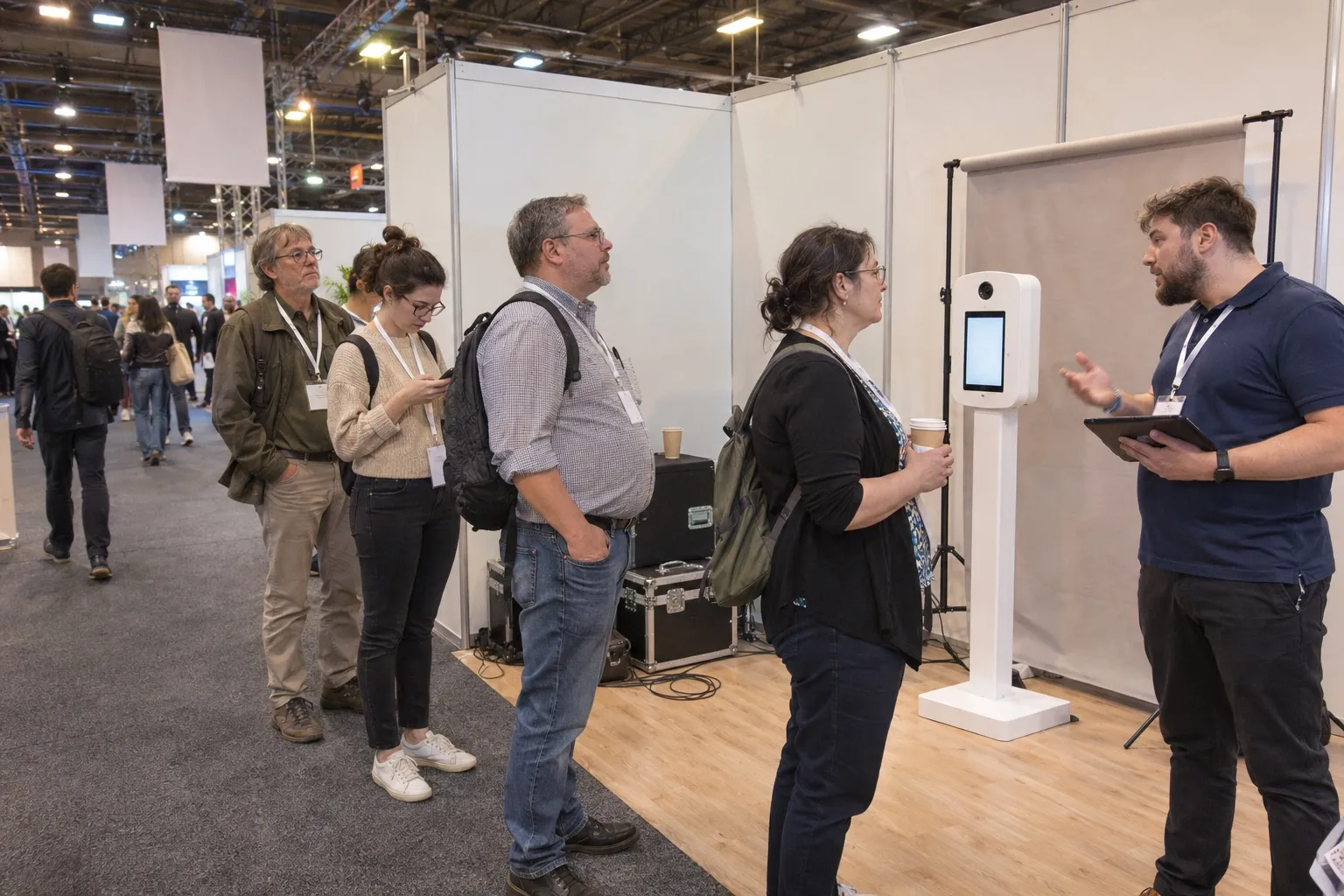
Short answer: a trade show booth works when it is planned backwards from what the exhibitor wants to take home: a number of qualified contacts, a number of social shares, or simply a queue that pulls people onto the stand. Decide that first, then pick one experience that takes under a minute, ask for no more than two pieces of information, plan stations from the visitor count per hour, and assume the hall Wi-Fi will fail at least once a day.
This guide is written for agencies and exhibitors planning a stand with one or more photo booth stations. It doesn’t cover stand design or show regulations; check those with the organiser.
Start from the goal, not the gadget
Trade show photo booths usually serve one of three goals. They lead to different setups:
| Goal | What to measure | Setup that fits |
|---|---|---|
| Leads for sales | Contacts collected, by day | Short form before the photo, email delivery, CSV export after the show |
| Reach on social media | Shares and downloads | QR to the guest page, branded frame, fast experience |
| Footfall to the stand | Visitors per hour, time on stand | Something worth queuing for: AI portraits, a mosaic wall, video |
Write the goal and the target number into the brief. “Collect 400 email addresses over three days” is a goal you can plan staff and stations for. “Create buzz” isn’t.
Pick one experience that fits the visitor’s time
Trade show visitors are walking between meetings. Keep the guest flow under a minute where possible.
- AI Photo or AI Greenbox puts visitors into a character or scene that matches the product launch. It draws a crowd, but each result takes a few seconds of processing and uses an AI credit.
- Mosaic Photo Wall turns every visitor’s photo into a numbered tile of a large brand image. The wall fills up over the show and gives people a reason to come back.
- Photobooth or GIF is the fastest and uses no credits. It’s a good second station next to an AI station.
- Video Booth suits stands that want short testimonials or messages; plan for a quieter corner.
Resist offering four experiences on one stand. Each one needs its own explanation, and a visitor who has to choose stops walking forward.
How many stations?
Estimate the busiest hour, not the daily total. Organisers can usually tell you peak visitor numbers per hall, and your own stand history is better still.
stations needed = visitors at peak hour who will use the booth ÷ results one station can produce per hour
Time your own setup: if one station completes a visitor every 60 seconds, it can serve about 60 people an hour at best. If you expect 120 people an hour at peak, plan two stations or accept a queue. A short queue on a stand is not a problem; a queue that blocks the aisle is.
In Eventwink, one event can have up to twelve named stations, and every result records which station produced it. How many can run at the same time depends on the plan: 1 on Event Pass, 2 on Studio and 5 on Agency. For a three-day show, Event Pass’s 72 hours of access usually covers the show days; check whether build-up day testing falls inside that window.
Ask for less information than you want
Every form field slows the queue and lowers the share of visitors who finish. For a trade show, two fields are usually enough: name and email, or email alone. Collect the rest in the sales follow-up.
If the client will use the contacts for marketing, put the client’s own text on the form. Eventwink’s guest form can show it as a box that opens the client’s document.
Delivery is where lead quality comes from. A visitor who types an email into the form and sends their photo to it has given you an address they actually use. A visitor who only scans a QR code has given you nothing you can follow up on.
Plan for hall Wi-Fi to fail
Exhibition hall networks are shared by thousands of devices. Plan as if it will be slow at the worst moment:
- Bring your own 4G/5G router as the primary or backup connection.
- Use the iOS or Android app on the kiosk: captures queue on the device when the connection drops and are processed when it returns. A visitor who waits sees the result appear; one who has left can be found later in Guest records.
- Desktop kiosks on Mac and Windows need an active connection, so give them the most reliable line.
- SMS verification needs a connection at the moment the code is sent, so don’t rely on it on a hall network.
The offline guide explains what keeps working and what waits.
Staff the stand for the peak
A trade show booth needs at least one person whose only job is the booth: inviting visitors in, arranging groups, handling the printer and the occasional retake. The exhibitor’s sales team should not be doing this between conversations.
With a phone paired to the kiosk as a remote control, the host can start each shot from where they stand and reset the screen for the next visitor. The remote opens in the phone’s browser; no app is needed.
For a multi-day show, plan breaks and a second person for the busiest hours. A booth with nobody next to it turns into a screen people look at and walk past.
After the show
- Export the leads the same day the show ends. Workspace admins and editors with access to the event can export guest records as CSV; exports ask for confirmation and are logged. Guest records are deleted automatically after a period that depends on the plan (30 days on Event Pass), so don’t leave the export for later.
- Look at results per station and per day. Each result carries its station and time, which tells you which setup and which time slot worked: the best input for the next show.
- Send the follow-up while the photo is fresh. The photo is a reason to open the email.
Checklist for the brief
- Goal and target number (contacts, shares or visitors per hour).
- One main experience, plus a credit-free second station if the stand is large.
- Peak-hour estimate and number of stations.
- Form fields (two at most), agreed with the client.
- Delivery channel: email for leads, QR for reach.
- Own mobile router and a tested backup plan.
- Dedicated booth staff per shift, with a paired phone as remote.
- Printing: on or off, copy limit per result, enough media for the show.
- Who exports the data after the show, and when.